

Geo blocking video (or geo-restriction) is the practice of restricting access to online video content based on a user’s geographic location. If you have ever seen the message “This video is not available in your country,” you have encountered geo blocking. Content providers use this technique to control where their videos can be viewed, usually to comply with licensing agreements, local laws, or business strategies. This updated 2026 guide covers why geo-blocking matters, how it works across IP-based, GPS-based and DNS-based methods, where the block is actually enforced inside your video stack, and how platforms handle VPNs and proxies.
Table Of Content:
Video-sharing services and streaming platforms like YouTube, Netflix and Hulu use geo-restrictions to make some of their content inaccessible to users in specific regions. People in those countries are prevented from reaching certain websites, services or individual titles. The practice matters most to companies with large amounts of intellectual property online, where the right to show a piece of content often stops at a national border.
VdoCipher helps over 3000+ customers over 120+ countries to host their videos securely, helping them to boost their video revenues.
How Geo-Blocking Works
At its core, geo-blocking works by determining the user’s location and then allowing or denying access based on it. The most common mechanism is IP address detection, but there are several other techniques. Here is a breakdown of each.
IP Address Geolocation
Every computer and digital device on the internet carries a unique numerical identifier called an IP (Internet Protocol) address. IP addresses are what let computers recognise and connect to each other. Whenever your device requests content from a server, the server knows where to send that content based on your IP address.
The server also checks that address against a geolocation database. If your region is allowed to see the requested content, the server responds with the data. If it is not, the server refuses and usually redirects you to a block message instead.
Geo-restrictions show up as a blocked website, an unavailable streaming service, or a single piece of content you cannot play. You have probably met it on a premium service like Netflix or Hulu. If you live in the US with an active Netflix subscription, you can stream your library while you are inside the US. Travel abroad and open the same account, and the library changes.
GPS-Based Location
Mobile apps and smart TV apps can also use GPS or other device location services for more precise positioning. This method needs the user’s permission. Once granted, the app reads an exact latitude and longitude from the device’s GPS hardware.
That is far more precise than IP, which makes it useful for restrictions enforced at city or postcode level, such as sports blackouts. GPS-based geo-blocking can tell that a user sits inside a restricted zone even when their IP suggests otherwise. Sports streaming apps like ESPN+ and MLB.TV often request GPS on mobile for exactly this reason, cross-checking the device coordinates against the allowed region rather than trusting the IP alone.
The downside is user experience. Not every user will share their location, and GPS only works on devices that expose it, not in a plain web browser. In practice it supplements IP checks rather than replacing them, and it is reserved for high-stakes content like live sport.
DNS-Based Filtering
Some services apply geo-blocking at the DNS level or through DNS-based proxies. In DNS filtering, the service detects the geographic source of DNS requests for the video domain and blocks or permits access on that basis. If a request for a video stream arrives from a disallowed country, the DNS server can refuse to resolve the stream URL or point it at a block message instead.
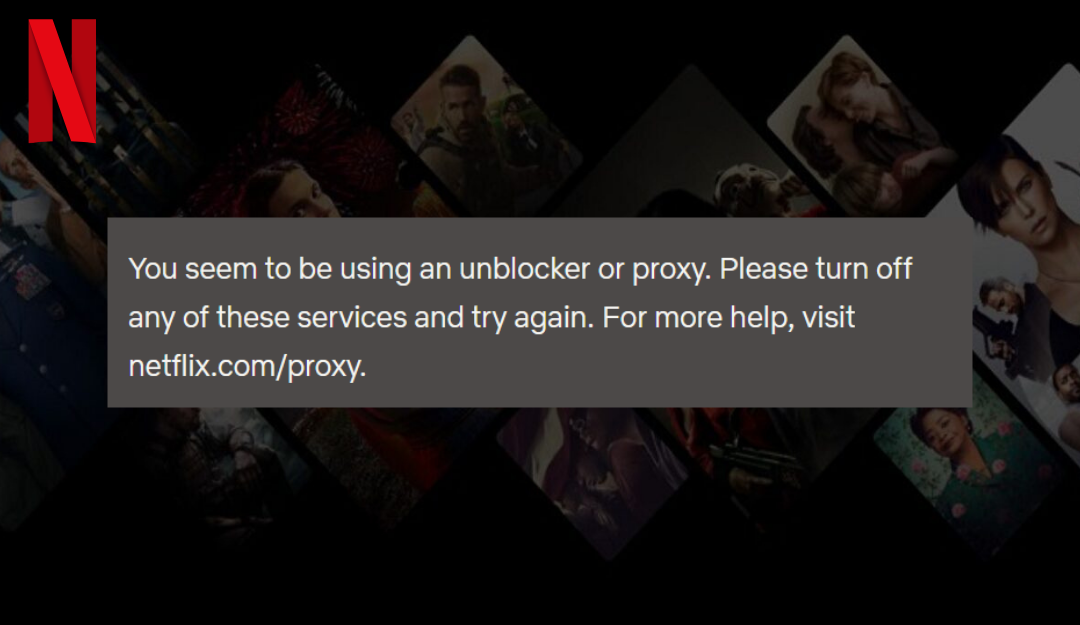
The same layer is where Smart DNS services operate, resolving DNS through an allowed region so users can slip past a geo-block. Content providers counter this by looking for inconsistencies. Netflix, for example, makes the user’s app fetch content from more than one domain. If one request travels through a proxy and another goes direct, the mismatch between the two IPs flags a bypass attempt.
DNS-based geo-blocking is really about controlling and verifying the network path at the name resolution stage, and it is almost always paired with IP checks rather than used alone.
Application-Layer and Other Methods
Some platforms enforce geo-restrictions inside their own application logic, simply not showing certain videos in the catalogue when the profile’s country does not match. Others measure network characteristics such as end-to-end latency to infer whether a user really sits in a region, though this is uncommon and unreliable.
Website cookies and account settings occasionally play a part. A cookie can record browsing activity and restrict access for users outside the target region, and some services use dedicated geolocation providers that triangulate a position from GPS data, IP data and nearby WiFi networks. Because users can clear or falsify cookies and profile settings easily, these signals serve as secondary checks or as a way to deliver region-specific experiences, not as the primary control.
In most real deployments, IP, GPS and DNS cover the techniques in use.
| Method | Location Detection | Pros | Cons | Typical Use Case |
| IP-Based | Uses IP geolocation DBs | Easy to implement; no user input | Coarse accuracy; spoofable by VPNs | Netflix region catalogs, BBC iPlayer |
| GPS-Based | Device GPS (needs consent) | Highly accurate; hard to fake | Requires native app & user permission | Mobile apps like ESPN+ for blackouts |
| DNS-Based | Analyzes DNS requests | Catches Smart DNS; proxy defense | Technical setup; false positives | Netflix detecting Smart DNS usage |
Where Geo-Blocking Is Enforced: CDN, DRM License and Application Layers
Most articles on geo-blocking explain how a viewer’s country is detected. That is only half the question. The half that decides whether your restriction actually holds is where in the delivery path the block is applied.
Detection tells you the viewer is in France. Enforcement decides what happens next, and the same detection result produces very different security depending on which layer acts on it. A geo rule applied in your web application is a suggestion. The same rule applied before a decryption key is issued is a wall.
There are four places a geo rule can live. Most platforms use one. Serious ones use several.
1. The CDN Edge
This is the most common implementation. Your CDN checks the requesting IP against a GeoIP database and refuses to serve the manifest or video segments, usually returning a 403. AWS CloudFront, Cloudflare, Akamai and Fastly all support country rules natively.
What it stops: casual out-of-territory viewing, at effectively zero latency cost, without the request ever reaching your origin.
What defeats it: anything that changes the apparent IP. A consumer VPN clears a CDN geo rule in seconds. It also cannot help you once a file has been delivered, because the check happens at request time and never again.
2. The DRM License Server
This is the strongest enforcement point and the least understood. Here the geo rule forms part of the license decision. The player requests a decryption key, the license server checks the viewer’s location against the policy attached to that playback session, and then issues or refuses the key.
The distinction matters because encrypted video is useless without its key. If a manifest URL leaks, if segments are scraped, if someone shares a link, none of it plays, because the key was never issued outside the licensed territory. A CDN rule protects the delivery. A license rule protects the content.
What it stops: link sharing, manifest leakage, scraped segments, and replay of captured requests from outside the territory.
What defeats it: the underlying location signal, same as every other layer. A VPN that fools geolocation fools the license server too. The difference is that everything downstream of the key stays protected.
3. The Playback Token or API Layer
Your backend decides whether to issue a playback token at all, and attaches rules to it when it does. Because your server already knows who the viewer is, this is the only layer with access to account context such as subscription tier, billing country and purchase history, alongside the IP.
What it stops: unauthorised session creation, plus account-level abuse that pure IP rules cannot see, such as a subscriber whose billing country has never once matched the country they stream from.
What defeats it: nothing at this layer alone. But a token issued correctly still needs a lower layer to enforce it at playback time.
4. The Application Layer
This covers catalogue visibility, search results, purchase flows and the interface itself. Netflix showing different libraries by country is application-layer geo-blocking. The content is not so much hidden as never offered.
What it stops: nothing, in a security sense. Its job is experience and commercial correctness, so that viewers are not shown titles they cannot buy or prices that do not apply to them.
What defeats it: a direct URL. Application-layer rules must never be your only control.
How the Layers Compare
| Layer | Blocks at | Survives link sharing | Latency cost | Defeated by |
| CDN edge | Manifest and segment request | No | None, decided at the edge | VPN, proxy |
| DRM license server | Key issuance | Yes | One license round-trip | VPN, proxy |
| Playback token / API | Session creation | Yes | None, already in your auth path | Compromised account |
| Application | Catalogue and UI | No | None | A direct URL |
Why You Layer Them
Each layer catches what the others miss. The CDN rejects the bulk of out-of-territory traffic cheaply, before it costs you anything. The token layer applies the account context the CDN cannot see. The license server guarantees that anything slipping past the first two still cannot be decrypted. The application layer keeps the storefront honest.
Platforms offering geo-blocking at only one layer are usually offering it at the CDN, because that is the easiest to build. It is also the easiest to bypass, and it is the only one of the four that provides no protection at all once a file has left the edge.
Where VdoCipher Applies the Rule
VdoCipher evaluates geo and IP rules at the playback-authorisation layer. Rules are attached to the playback session when the OTP is generated on your server, and they are checked when that token is redeemed, before the DRM license is issued and before any key reaches the player. A viewer outside the permitted set receives error 2014: Not allowed in your region or network, and no decryption key is ever released.
Rules can also be set permanently on an individual video through the dashboard or the video update API, so an asset carries its territorial restriction no matter which application requests it.
Why Geo-Blocking Video and Digital Content Matters
A platform may geo-block for any number of reasons. It might serve only one country in order to comply with local law. It might hold the right to show specific content in some territories and not others. Governments sometimes require it, blocking sites that promote activities which are illegal locally, such as online gambling. Online retailers like Amazon use it to steer shoppers to their local storefront, where prices can differ from those listed elsewhere.
Geo-blocking can frustrate viewers who are shut out of content they want. It remains a legal and legitimate way for content owners to control who reaches their material, though whether any particular use is lawful depends on the jurisdiction and the circumstances.
In practice, geo-blocking serves five business purposes.
Licensing and copyright compliance. Films, TV shows and live sport are licensed country by country or region by region. Streaming platforms have to enforce geo-restrictions to honour those contracts, and failing to do so risks legal action or the loss of distribution rights. For most platforms, geo blocking video is not optional. It is what makes an exclusive territorial licence enforceable.
Regional regulation and censorship. Countries differ on what content is permissible, and the rules keep tightening. Some governments require certain news, political or adult content to be blocked within their borders. Geo-blocking lets a service comply where content is illegal or culturally sensitive, and it is also how platforms enforce sanctions obligations.
Market segmentation and content strategy. Streaming services routinely tailor libraries and recommendations to regional audiences. Geo-blocking lets platforms highlight region-specific titles and stagger release schedules, launching a film or series in one country ahead of another. It also enables regional pricing, so that subscription and rental rates differ by market and viewers only ever see the price intended for them.
Revenue protection and demand control. Controlling where content is available protects the revenue attached to it. Regional exclusives work only if audiences cannot leak across borders. Sports leagues rely on local blackouts so that broadcasters who paid for exclusive rights keep their viewership, which makes geo-blocking central to how live sport is sold.
User experience and distribution logistics. Sometimes the goal is simply to route viewers to the right regional service. Large platforms redirect users to their country-specific site so that language, subtitles and catalogue all match. In some cases companies geo-block to stay inside data protection law, avoiding regions whose requirements they cannot meet.
Geo-blocking is not applied the same way everywhere. A site may drop the network connection entirely, which shows up as a timeout. It may serve a custom block page explaining why access was refused. Or it may act at the application layer, letting the main page load while the login button quietly disappears and parts of the catalogue never render.
Common Ways of Blocking Video Access
Detecting a viewer’s country is only useful if you can also detect the tools they use to disguise it. These are the four defences platforms rely on.
Blacklisting popular VPN providers. A VPN routes a user’s traffic through a server in another country so the connection appears to originate there. Some providers add stealth protocols that make the tunnel hard for an ISP to identify as VPN traffic at all. Platforms answer this by maintaining blacklists of known VPN exit addresses, and increasingly by reading behaviour rather than addresses. Detection systems watch for rapid IP switching, or for an address claiming to be residential while carrying datacentre-shaped traffic. Some run real-time protocol scanning to see whether a connection matches a known VPN signature. Netflix and other large streaming platforms use industry-standard tooling to keep these lists current.
Blocking connections from the same IP range. Users who reach a platform through the same VPN server share addresses in a single range. Blocking that range shuts out an entire exit node at once, which is a blunt but effective way to keep viewers inside the catalogue meant for their location.
Blacklisting DNS unblockers. Smart DNS services redirect a viewer’s requests through a region where the content is available. Opening Netflix from abroad, the service sends traffic to a US server first, and that server fetches the content on the viewer’s behalf. Netflix counters by asking the device to ping a second domain. If a different IP answers, the system knows a geo-block is being circumvented. The defence is to blacklist known Smart DNS addresses and run consistency checks so that every request in a session resolves to the same region. As streaming services have tightened this, Smart DNS has become markedly less reliable for viewers.
Traffic pattern and AI detection. The newest defences look past IP lists entirely and model behaviour. A genuine home viewer keeps one fairly stable address and a recognisably human usage pattern, while a VPN exit handles many unrelated streams in quick succession. Machine learning picks up the difference, including addresses that show impossibly varied geographic access in a short window. These systems combine device fingerprint, time of day and account history into a risk score, and an address scoring high can be blocked outright or challenged with a CAPTCHA or a fresh login.
Explore More ✅
Protect Your VOD & OTT Platform With VdoCipher Multi-DRM Support
VdoCipher helps several VOD and OTT Platforms to host their videos securely, helping them to boost their video revenues.
| Method | How Users Bypass Geo-blocks | Platform Defenses |
| VPN Services | Tunnel traffic via foreign server to appear in allowed region | Block VPN IPs, detect shared IPs, flag frequent IP switching |
| Proxy / Tor | Use proxy or Tor exit nodes in target region | Block known IPs, fingerprint traffic, restrict by region |
| Smart DNS | Change DNS to redirect to allowed region | Block known DNS proxies, test DNS consistency, use alternate fetch domains |
| Residential Proxies | Route via real-user IPs, mimicking normal traffic | Use behavioral analytics, flag abnormal patterns, restrict multi-region logins, partner with proxy detection tools |
Geo-Blocking Video via VdoCipher
Earlier in this guide we looked at why you would not want certain digital assets to be globally accessible. When access to videos, images or documents needs to depend on where the viewer is, geo-blocking is how you do it.
VdoCipher is a secure DRM encrypted video hosting platform and an AWS technical partner, offering geo, IP and time-based restrictions to protect your videos. It provides Hollywood grade DRM encryption of the kind used by Netflix and other major streaming platforms, so video streamed through VdoCipher cannot be downloaded with third-party software or browser plugins. Packaged streaming solutions serve e-learning, media and marketing businesses that need content delivered securely and smoothly on their own site or app.
For IP and geo restrictions specifically, VdoCipher offers a dashboard interface for straightforward setups and an API for more involved ones. You can express complex combinations of IP and country rules through the API guide, which makes it practical to secure videos across college and corporate networks. If a rule you need is not obvious, our support team will write a sample for you.
Subnet restriction is worth knowing about here. It lets an administrator specify which subnets may reach a resource, which is how you isolate a network or shut out unauthorised access without listing addresses one at a time.
IP Whitelisting and Blacklisting for Geo-Blocking
VdoCipher’s IP and geo restriction uses JSON-based configuration, which allows for effectively unlimited customisation. If you need a whitelist inside a blacklist inside a whitelist, a short JSON block expresses it, and the nesting can go as deep as your rules require.
The IP whitelist supports CIDR-based configuration across corporate and university subnets. CIDR also lets you constrain specific ISP networks, which is useful when setting up value-added services on ISP and telecom networks.
Country-specific restriction sample code for playback access in only India and Great Britain:
[{

"action": "false",

"ipSet": [],

"countrySet": []
},

{

"action": "true",

"ipSet": [],

"countrySet": ["IN","GB"]
}]
Geo-blocking is one of several VdoCipher security features. The others include:
- DRM Encrypted video streaming
- Dynamic watermarking to Block Screen Capture
- Offline downloads with time restrictions
- Smart HTML5 player with adaptive bitrate streaming
- Multi-DRM for videos (Google Widevine and Apple FairPlay)
- OTP-based backend authentication
- Ready-to-Use VdoCipher Plugin
Conclusion
Geo-blocking is what makes territorial licensing enforceable. Rights to films, series and live sport are still sold country by country, and a platform that cannot restrict playback by region cannot honour the contracts it signs.
The mechanics are straightforward enough. Detect the viewer’s country, usually from their IP address, then allow or deny. What separates a restriction that holds from one that does not is where you apply it. A rule enforced only in your application or at the CDN edge stops casual viewing and nothing more. A rule evaluated before a decryption key is issued keeps working after a link is shared.
It is also worth being honest about the limits. Geo-blocking is a licensing and compliance control rather than a security control, and a consumer VPN will defeat it. That is why platforms with real contractual exposure pair geo rules with DRM and watermarking, so that a viewer who gets past the location check still ends up with an encrypted file and no way to play it.
FAQs
What is geo blocking video?
Geo blocking video is the practice of restricting video playback based on the viewer’s geographic location, usually worked out from their IP address. Platforms use it to honour territorial licensing agreements, enforce regional pricing and comply with local regulations.
How do I restrict my videos to specific countries?
Set an allowlist of ISO 3166-1 alpha-2 country codes in your video platform’s access controls, and apply it at the playback-token or DRM license layer so the rule survives a shared link. With VdoCipher, the rule is attached when your server generates the playback token and is checked before any decryption key is issued.
Is geo-blocking legal?
Geo blocking video is legal in most jurisdictions, including the United States, where no law specifically permits or prohibits it. In the European Union, Regulation (EU) 2018/302 bans unjustified geo-blocking for goods and several online services, but audiovisual content is explicitly exempt, so streaming platforms may still restrict video by country under territorial licences. Separately, Regulation (EU) 2017/1128 requires paid services to keep working for subscribers travelling temporarily within the EU.
Can geo-blocking be bypassed with a VPN?
Yes. IP-based geo-blocking is defeated by any consumer VPN, which replaces the viewer’s IP address with one in a permitted country. Residential proxy networks go further, routing traffic through genuine consumer connections so the address that arrives looks entirely legitimate. Platforms respond with anonymiser-detection feeds that flag VPN, datacentre and proxy ranges, but the reliable defence is DRM, which withholds the decryption key rather than the file.

Does geo-blocking work on downloaded videos?
No. A geo rule is evaluated when access is requested, so once a file has been delivered the check has already happened and will not run again. An unprotected download plays in any country, indefinitely. Only DRM carries the restriction past delivery, because the file stays encrypted and needs a license to play. Offline downloads therefore need license expiry and watermarking rather than geographic rules.
How accurate is geo-blocking?
IP geolocation is about 99.8% accurate at country level, according to MaxMind, which is precisely the granularity most video licensing needs. Accuracy falls sharply below that: roughly 80% at state or region level, and about 66% for cities within a 50 km radius, measured on US addresses. Country-level rules are dependable. Anything finer needs additional signals such as device GPS, and should be designed expecting a real error rate.
Why do streaming services geo-block content?
Streaming services geo-block because audiovisual rights are sold territory by territory. A studio licenses one platform to stream a title in Germany and a different platform to stream it in France, and each contract obliges the platform to prevent access from outside its territory. Beyond licensing, platforms geo-block to enforce regional pricing, honour sports blackouts, comply with local censorship rules, and meet sanctions obligations that forbid serving specific countries.
What is the difference between geo-blocking and geo-fencing?
Geo-blocking denies access to content based on the country an IP address resolves to, and runs on servers or CDNs without any cooperation from the viewer’s device. Geo-fencing draws a virtual boundary around a physical area such as a venue, a campus or a city block, using GPS, Wi-Fi or Bluetooth, and triggers an action when a device enters or leaves it. Geo-blocking refuses. Geo-fencing reacts.
Does the EU ban geo-blocking for streaming?
No. Regulation (EU) 2018/302 prohibits unjustified geo-blocking within the single market, but audiovisual services, including sports broadcasts sold under exclusive territorial licences, are expressly excluded from its scope. European film and television financing depends on selling rights country by country, and the exemption preserves that model. Streaming platforms may therefore continue to restrict video catalogues by EU member state.
How do I geo-block my own videos?
Restrict playback through your video hosting platform’s access-control settings rather than at the website level, which a direct URL bypasses. List the countries you are licensed for as ISO 3166-1 alpha-2 codes, choose an allowlist so unnamed countries are denied by default, and apply the rule at the playback-token or DRM license layer so it survives link sharing. Then test from inside and outside each territory before going live.
Supercharge Your Business with Videos
At VdoCipher we maintain the strongest content protection for videos. We also deliver the best viewer experience with brand friendly customisations. We'd love to hear from you, and help boost your video streaming business.


My expertise focuses on DRM encryption, CDN technologies, and streamlining marketing campaigns to drive engagement and growth. At VdoCipher, I’ve significantly enhanced digital experiences and contributed to in-depth technical discussions in the eLearning, Media, and Security sectors, showcasing a commitment to innovation and excellence in the digital landscape.