

From global OTT giants like Netflix and Disney+ to EdTech platforms, corporate training portals, and sports broadcasters, enforcing concurrent stream limits is about more than just revenue protection. It directly impacts server resource allocation, user experience, and piracy prevention. Without these limits, account sharing and credential abuse can cause massive financial losses, increase churn, and put premium content at risk of unauthorized distribution.
TL;DR — Key Takeaways
- A concurrent stream limit (also called concurrent stream limiting, CSL, or a concurrent streaming restriction) caps how many videos one account can play at the same time.
- Major platforms enforce different simultaneous streaming limits: Netflix and Disney+ allow up to 4 streams on premium plans, Prime Video allows 3, Hulu allows 2.
- Platforms enforce limits through session tracking, short-lived playback tokens, DRM license renewals, and heartbeat checks — together often called concurrency control.
- The industry-standard configuration is 2 concurrent streams plus a cap of 5–6 registered devices per account.
- If you see a “concurrent streaming limit reached” error, stop playback on another device, sign out of unused devices, or wait a few minutes for stale sessions to expire.
- Platforms like VdoCipher let you enforce your own concurrent session limits using OTP-based playback authentication, DRM license expiry, and watermarking.
Table of Contents:
- What is Concurrent stream limit?
- Types of Concurrent Stream Limits
- Why is Concurrent Stream Limit Needed?
- What Exactly Counts a “stream”?
- How Concurrent Stream Limit Works
- Concurrent Stream Limit on Different Platforms
- How VdoCipher Handles Concurrent Stream Limits and Secure Streaming
- Best Practices for Enforcing Concurrent Stream Limits
- FAQs
What is Concurrent Stream Limit?
A concurrent stream limit defines how many videos a single user account can play at the same time.
For example, if an account has a concurrent stream limit of two, the user can watch videos on up to two devices, browsers, or app sessions simultaneously. Any additional playback attempt may be blocked until one of the existing streams ends.
“Concurrent streams” and “simultaneous streams” are generally used interchangeably.
Concurrent stream limits are different from:
- The number of devices registered to an account
- The number of devices on which a user is signed in
- The number of profiles created under an account
An account may be logged in on several devices while still allowing only one or two active video sessions at a time.
Streaming platforms use concurrent stream limits to prevent credential sharing and unauthorized account use. Without these controls, one subscriber could share an account with multiple people, allowing them to access paid content without purchasing separate subscriptions.
Concurrency limits can help platforms:
- Reduce account sharing and casual piracy
- Protect subscription and course revenue
- Control access across devices and locations
- Create different subscription tiers based on usage
- Identify suspicious playback patterns
- Maintain fair access for legitimate users
These controls are widely used by OTT platforms, online course providers, educational institutions, membership websites, and enterprise video platforms.
When the permitted number of streams is exceeded, the platform may block the new playback, ask the user to stop another session, or automatically terminate an existing stream.
In simple terms: a concurrent stream limit means that only a specified number of videos can be played from the same account at the same time.
What are the types of Concurrent Stream Limits?
Not all concurrency limits are one-size-fits-all. Streaming services can implement various types of limits depending on their goals and content.
| Type | Rule | Analogy | Example |
| Per-Account | Fixed streams per subscription | Gym pass (only X people can enter at once) |
Netflix (4), Disney+ (4), Prime (3)
|
| Per-Device | Limits how many devices can log in or register | Library card (share with a few, not the whole school) |
Prime: 6 devices, 2 primary
|
| Per-Content | Caps same title streaming simultaneously | Concert ticket (one seat per ticket) |
Prime: 3 total, only 2 on same movie
|
Per-User Account Limits
A per-user account limit sets the maximum number of videos that can be played simultaneously from one account, regardless of the devices being used.
For example, if an account allows three concurrent streams, users can watch on three devices or browser sessions at the same time. A fourth playback attempt will be blocked until one of the active sessions ends.
This is the most common form of concurrency control and is often used to differentiate subscription plans.
Per-Device or Registration Limits
A device limit controls how many devices can be linked, registered, or authorized under an account.
This differs from a concurrent stream limit. An account may be registered on several devices but still allow playback on only one or two of them at the same time.
Device registration limits prevent users from continuously adding new devices and sharing their credentials with a large number of people. Platforms may also allow users to remove old devices or require additional verification when a new device is added.
Per-Content Concurrent Limits
A per-content limit controls how many devices can play the same video, live event, or title simultaneously.
For example, an account may support three concurrent streams overall but allow the same movie or live event to be played on only one or two devices at once.
This is particularly useful for:
- Live sports and pay-per-view events
- Premium or exclusive content
- Licensed content with stricter distribution rules
- Online courses sold for individual use
Combining Multiple Limits
Streaming platforms can apply account, device, and content-level limits together.
Example — one account might allow:
- Five registered devices
- Two concurrent playback sessions
- Only one stream of a specific live event
Together, these controls help prevent credential sharing, enforce subscription rules, and ensure that paid content is accessed only within the permitted usage limits.
Why is Concurrent Stream Limit Needed?
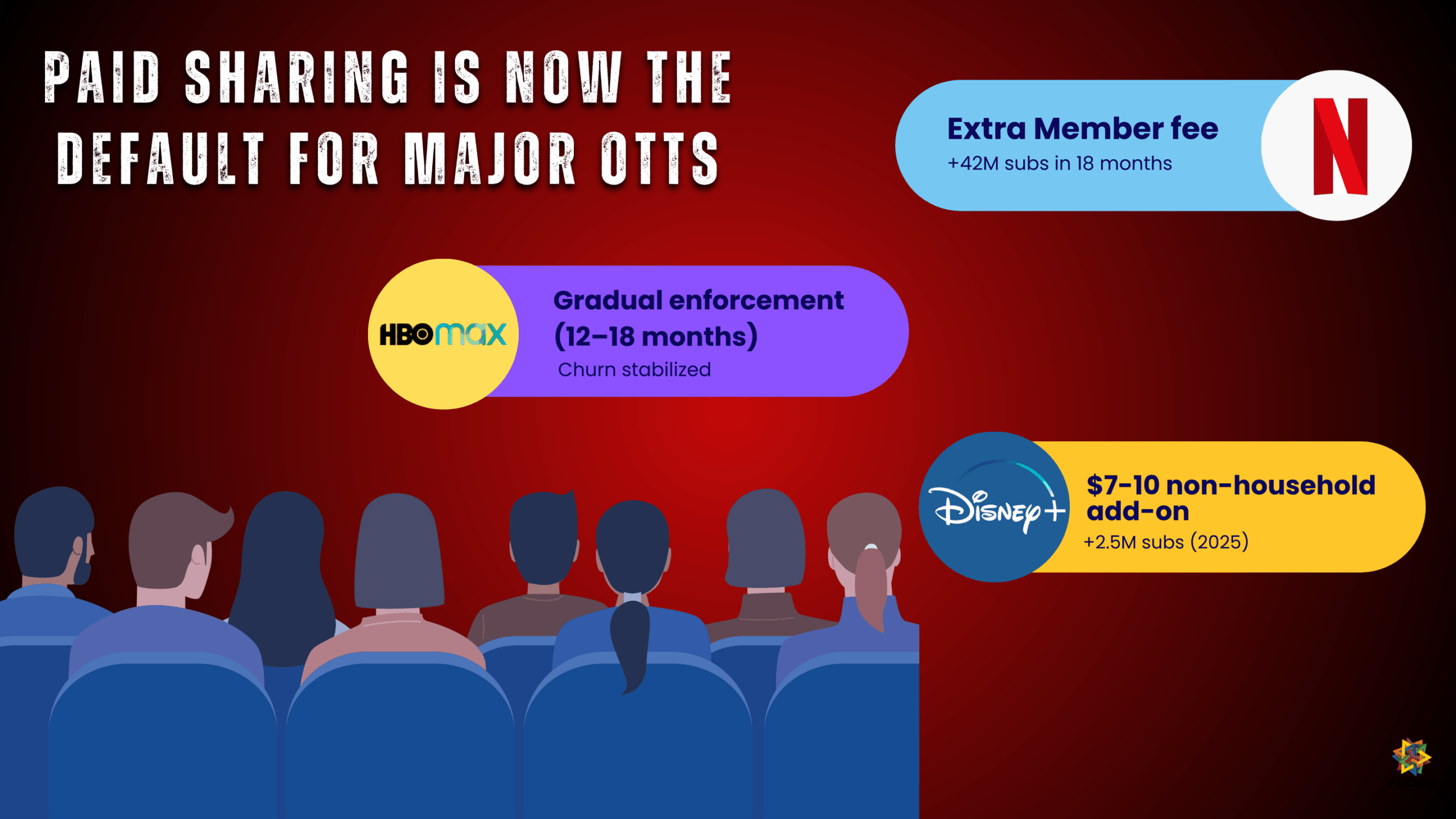
Revenue Protection & Password Sharing – Without limits, one paid account could be used by dozens, costing platforms billions. In 2019 alone, account sharing losses were estimated at $9B, projected to reach $12.5B by 2024. Netflix’s crackdown on password sharing in 2022 proved the point: subscriber numbers rebounded as casual sharers converted to paying users. Limits make account sharing inconvenient and push households toward legitimate subscriptions.
Content Licensing Compliance – Studios and rights-holders demand safeguards. Contracts often stipulate household-only or capped-device usage. Platforms must enforce these limits to avoid violations. Some even restrict same-title streams more tightly (e.g., Amazon Prime: 3 titles at once, but only 2 devices for the same video) to prevent “virtual screenings.”
Security & Anti-Piracy – Limits reduce large-scale abuse. If a hacked login is sold online, concurrency capping quickly throttles it. Combined with forensic watermarking, it becomes easy to trace misuse and deter pirates. In practice, concurrency control is one layer in a larger anti-piracy stack alongside DRM, geo-restrictions, and device integrity checks.
Product Differentiation – Concurrency limits power tiered pricing. A single-stream plan fits individuals; families pay for 2, 4, or more. It’s a simple, marketable feature (“watch on 4 devices at once”) and an effective upsell lever. B2B platforms do the same, charging per concurrent student or per enterprise seat.
User Experience & Fair Use – Concurrency rules actually protect paying users. Without them, legitimate subscribers could be locked out by freeloaders. Reasonable caps (aligned with family use, e.g., 2-4 streams) ensure fairness. They also free up “ghost” sessions if a user forgets to log out, so one idle device doesn’t block everyone else.
Operational Benefits – Concurrency data also feeds analytics, helping platforms spot account misuse (e.g., one account constantly maxing out streams) or highlight upsell opportunities (“frequently hits the limit, suggest plan upgrade”)
What Exactly Counts a “stream”?
At first glance, a stream seems obvious: if a video is playing, that’s one stream. But in practice, platforms must define rules carefully to avoid ambiguity and misuse. Here are the key factors:
Session Scope – A stream = one active playback session (a player fetching video segments or holding a DRM license). Two browser tabs = two streams. Paused but loaded videos usually still count until closed or timed out.
Content Scope – Different titles are different streams. The same title on multiple devices also counts separately. Switching subtitles or audio doesn’t.
Device Scope – Two independent players on one device = two streams. Casting (Chromecast/AirPlay) usually counts as one, unless the app fails to close the local session.
Timing & Overlap – Concurrency is about overlap. Watching at 7pm and again at 8pm = one at a time. Platforms use heartbeats or license renewals to end inactive sessions.
Offline Downloads – Don’t count as streams while offline, but services cap how many devices can store downloads (e.g., Netflix: 6 devices on Premium).
A stream = one active playback session (player + content + device) that is alive at the same time. Clear definitions matter, because they determine whether users see concurrency errors, and they shape how fair (or exploitable) your limit system is.
How Concurrent Stream Limit Works?
Enforcing concurrent stream limits is not just a single switch, it’s a coordinated process between the backend, player apps, and DRM systems. Here’s how it typically works step by step:
1. Session Creation & Tracking
When a user hits Play, the backend creates a session record tied to their account, device, and content.
These sessions are stored in a database or cache (e.g., Redis) so the system knows exactly how many streams each user has running.
Metadata like device fingerprint, IP, and last activity time helps distinguish whether it’s a new device or the same one continuing.
2. Token-Based Authentication
Instead of exposing raw video URLs, the server issues a short-lived token based url or OTP.
This token represents one playback session and may include rules like “user = Alice, allowed = 2 streams, session_id = XYZ.”
The player must present this token when requesting the video or a DRM license. If the user is already at their limit, no new token (or license) is issued.
3. DRM License Enforcement
DRM systems like Google Widevine and Apple FairPlay guard the actual content decryption.
Each playback requires a DRM license. The license server checks concurrency before issuing it: if the user is over limit, the request is denied.
For continuous enforcement, licenses can be set to expire quickly (e.g., 2-5 minutes). The player must renew them periodically, and each renewal is another chance to verify concurrency.
If the limit is exceeded mid-playback, the renewal fails, and the stream stops automatically because the content can no longer decrypt.
4. Heartbeats & Expiry
Some services add a heartbeat ping from the player to the server every 30–60 seconds: “I’m still watching.” If a user closes a tab, loses connection, or disables the player, heartbeats stop. After a grace period, the session expires and frees up a slot. This prevents “ghost sessions” from eating up the user’s concurrency allowance indefinitely.
5. Server-Side Enforcement Logic
When the system detects too many streams, platforms choose different enforcement rules:
- Block New Stream – deny the new request, existing ones continue.
- Drop Oldest – let the new stream start but forcibly stop the oldest session (common in DRM concurrency).
- Block New Device/User – allow multiple streams on one device but block additional devices.
- Prompt/Grace Period – some services let users choose which device to keep active.
6. Edge Cases
- Casting (Chromecast/AirPlay) – should count as one stream if properly implemented.
- Picture-in-Picture – still one stream, since it’s the same playback session.
- Offline Downloads – don’t count toward concurrent streams but are controlled via separate device download limits.
How Many Devices Can Stream at Once? Platform Limits Compared (2026)
Every major streaming service sets its own screen limits, the number of simultaneous streams allowed per account. These device limits for streaming usually scale with the subscription tier: ad-supported and basic plans allow 1–2 screens, while premium tiers allow 4 or more. Here is how the major platforms compare in 2026:
| Platform | Simultaneous Streams Allowed | Notes |
|---|---|---|
| Netflix | 2 (Standard with Ads, Standard) · 4 (Premium) | Premium also supports 2 paid “extra member” slots outside the household |
| Amazon Prime Video | 3 per account | Maximum 2 streams of the same title; device registration is also capped |
| Disney+ | 2 (Standard with Ads) · 4 (Premium) | Limits apply across all profiles combined |
| Max | 2 (With Ads, Ad-Free) · 4 (Ultimate Ad-Free) | Unlimited sign-ins, but only 2–4 can play at once |
| Hulu | 2 per account | Live TV plans offer an Unlimited Screens add-on (home network only) |
| Peacock | 3 per account | Same limit on every tier; no paid upgrade for more streams |
| Paramount+ | 3 per account | Exceeding it prompts you to stop playback on another device |
| Apple TV+ | 6 per account | Highest default simultaneous streaming limit among major services |
| YouTube TV | 3 per account | 4K Plus add-on removes the screen limit on your home network |
| ESPN (ESPN+) | 3 per account | Live sports events may carry stricter per-title restrictions |
Limits last verified: July 2026. Platforms update plans frequently — always check the service’s official help page for current numbers.
Three patterns stand out across these platforms:
- Stream limits are a pricing lever. Netflix, Disney+, and Max all reserve 4 simultaneous streams for their most expensive tier. The concurrent streaming limit is not just a security control — it is product packaging.
- Per-title limits exist on top of account limits. Prime Video allows 3 concurrent streams overall but only 2 of the same movie or episode — a per-content concurrent stream restriction driven by licensing contracts.
- “Registered devices” and “concurrent streams” are different caps. Prime Video limits how many devices can be signed in; Max does not. Either way, the number of screens playing at once is the enforced limit.
Pros and Cons of Concurrent Stream Limits
Concurrent stream limiting protects revenue, but enforced badly it can frustrate paying customers. Any platform designing a concurrency control policy should weigh both sides.
✓ Advantages of enforcing stream limits
- Recovers lost revenue. Password sharing cost US streaming providers over $2.3 billion in a single year. After Netflix restricted sharing in 2023, paid sign-ups jumped 16.5% and the company added over 40 million subscribers in the following 18 months.
- Satisfies licensing contracts. For many OTT services, concurrent stream limits are a contractual requirement of studio and sports licensing deals — not an optional feature.
- Creates natural plan tiers. “1 screen vs. 4 screens” is one of the easiest upgrade paths to sell, turning the simultaneous streaming limit into a monetization tool.
- Controls infrastructure costs. Every unauthorized stream consumes CDN bandwidth and DRM license calls. Capping simultaneous streams caps those variable costs.
- Deters casual piracy. Combined with watermarking and DRM, concurrent session limits make shared credentials far less useful to resellers of account access.
✗ Disadvantages and risks
- Friction for legitimate households. A family of four on a 2-stream plan will hit the wall on movie night. Stream-limit errors are among the most common streaming support complaints.
- Churn risk if limits are too strict. Subscribers who repeatedly see “too many devices are streaming” messages are more likely to cancel than upgrade — especially if competitors offer more generous screen limits.
- Stuck-session false positives. Crashed apps and dropped connections can leave “ghost” sessions that block honest users until the session expires. Short heartbeat intervals and grace periods reduce, but never fully eliminate, this.
- Backend complexity and latency. Real-time concurrency checks on every playback and license renewal require a fast, globally consistent session store. Done poorly, they add startup delay to every play click.
- Support overhead. Without a self-service device management page, every stream-limit error becomes a support ticket.
The balance most platforms choose
The industry norm is 2 concurrent streams with 5–6 registered devices, a visible device-management portal so users can free slots themselves, clear error messages that say which devices are streaming, and an upgrade path for households that need more. The limit should be felt by account resellers — and be nearly invisible to honest subscribers.
Concurrent Stream Limit on Different Platforms
Concurrency stream limit management has to adapt to the platform in use. The way you enforce “only X streams per account” differs depending on whether the user is on a mobile app, web browser, smart TV, or downloading content offline. Each platform has its own loopholes. For example, browsers must handle multiple tabs, mobile apps need to prevent screen capture, and offline downloads must avoid unlimited device sharing. A strong concurrency strategy considers these nuances rather than applying one blanket rule.
| Platform | Enforcement Method | Key Notes |
| Android / iOS Apps | SDK-level enforcement with Widevine / FairPlay DRM. |
Blocks screen recording and ties playback to device/app sessions.
|
| Web / Browser | Player + backend API validation with OTPs and DRM license renewals. |
Must handle multiple tabs/windows; relies on session tracking and heartbeat pings.
|
| Smart TVs | Device ID–based restriction and registration lists. |
Example: Amazon Prime allows 6 registered devices, 3 concurrent streams.
|
| Offline Downloads | DRM-encrypted files tied to device; require periodic check-ins. |
Downloads don’t count as live streams, but device caps apply (e.g., Netflix Premium: 6 devices).
|
How VdoCipher Handles Concurrent Stream Limits and Secure Streaming
VdoCipher is a secure video hosting and streaming solution widely used by EdTech and media businesses. Its toolkit combines DRM, tokenization, piracy analytics, and dynamic watermarking to enforce concurrency and stop unauthorized access.
Token-Based Authentication (OTP) – Each playback requires a short-lived, one-time OTP from VdoCipher’s API. Tokens expire quickly and can’t be reused, ensuring video sessions are tied to authenticated users. This prevents URL sharing and lets platforms control whether multiple OTPs per user are allowed.
DRM Encryption & License Control – VdoCipher uses Google Widevine and Apple FairPlay DRM. Every playback gets a secure license; attempts to exceed limits can be denied. DRM also prevent screen recording on many devices and protects keys from exposure.
Session Tracking & Analytics – The dashboard monitors watch time, device usage, and IPs per user. Abnormal patterns, like one account on multiple devices or excessive hours flag possible sharing or credential theft, letting owners intervene.
IP, Geo, & Time Restrictions – Videos can be locked to certain countries, IPs, or session durations. This helps stop accounts from being used in two distant locations or indefinitely reused.
Dynamic Watermarking – Each session can display unique overlays (e.g., email or IP). This doesn’t block concurrency directly, but deters sharing and makes leaks traceable.
Secure Offline Downloads – Downloads are encrypted with DRM and tied to the device. VdoCipher ensures offline use can’t bypass session or device limits.
Developer Integration – APIs and SDKs simplify enforcement. Developers request OTPs and VdoCipher handles DRM, watermarking, and capture blocking in the background.
Continuous Piracy Deterrence – VdoCipher combines multiple defenses, encryption, authentication, watermarking and regularly updates against new piracy tactics, ensuring concurrency limits are part of a holistic security layer.
Best Practices for Enforcing Concurrent Stream Limits
Implementing concurrent stream limits isn’t just about setting a number; it’s about balancing security, fairness, and user experience. A poorly designed system can frustrate paying customers, while a well-designed one can protect revenue without users even noticing. Here are some best practices that leading streaming platforms follow:
Use Short-Lived Tokens with Automatic Expiry – Every playback session should be authenticated by a token based URL that expires quickly and cannot be reused. This ensures that URLs or session IDs cannot be shared indefinitely.
Allow Graceful Device Switching – Users often move between devices (e.g., from phone to TV). Instead of blocking them, implement rules that automatically log out the older device when a new one starts, keeping the experience seamless while still enforcing limits.
Notify Users When Limits Are Reached – Clear, friendly messages such as “You’re streaming on too many devices” are better than silent failures. Some services even show which devices are active and let users manage them directly.
Offer Tiered Plans – Use concurrency as a feature to drive monetization. For example, 1 screen for individuals, 2 for couples, 4 for families. This both protects revenue and aligns with customer needs.
Regular Session Cleanup via Heartbeat Monitoring – Use heartbeats or DRM license renewals to automatically close idle or crashed sessions. This prevents “phantom sessions” from unfairly blocking legitimate viewers.
Combine with DRM and Watermarking – Concurrency limits alone don’t stop piracy. Pair them with DRM encryption and dynamic watermarks to deter screen recording and trace leaks back to the source.
Best Practices Per Platform
Android / iOS Apps – Use DRM SDKs (Widevine/FairPlay) to block screen capture and issue one license per device session, set to auto-expire when the app closes. This prevents multiple app instances from bypassing limits.
Web / Browser – Enforce short-lived playback tokens (OTPs) tied to user sessions and renew them every few minutes. Add a heartbeat or license renewal so idle tabs auto-expire (e.g., after 90 seconds), avoiding ghost sessions.
Smart TVs – Rely on device ID-based registration with user-facing management tools. Combine account-level stream caps with per-title limits (e.g., no more than 2 devices streaming the same movie) to protect premium content.
Offline Downloads – Encrypt downloads with DRM and tie them to device IDs. Require periodic online check-ins (e.g., every 30 days) and cap how many devices can hold downloads per account to stop unlimited sharing.
FAQs
What does concurrent stream limit mean?
It refers to the maximum number of video streams a user account can play at the same time. For example, Netflix’s premium plan allows up to 4 simultaneous streams.
How is concurrent stream limit technically enforced?
Platforms use short-lived playback tokens, DRM license controls, session tracking, and heartbeat pings to ensure only the allowed number of active streams are running per account.
What happens when a user exceeds the limit?
Typically, playback is blocked and a message appears like “You’re already streaming on X devices.” Some platforms also allow device management so users can log out old sessions.
How can concurrent stream limit improve revenue?
Crackdowns convert freeloaders into paying users. Example: Netflix gained 42 million new subscribers within 18 months of introducing paid sharing policies.
What does “concurrent stream limit exceeded” mean?
It means your account already has the maximum number of videos playing at once that your plan allows. The platform’s server counted your active sessions and blocked the newest playback attempt. Stop playback on another device, or wait a minute or two for an inactive session to expire.
How many devices can stream at once on Netflix?
Netflix allows 2 simultaneous streams on Standard with Ads and Standard plans, and 4 on Premium. Downloads and extra-member slots have separate limits, so the number of signed-in devices can be higher than the number allowed to play at once.
Does casting to a TV count as an extra stream?
No. When you cast from your phone to a TV (Chromecast, AirPlay), it counts as a single stream because only one video is actually playing. Picture-in-picture on one device is also one session.
What is the difference between concurrent streams, registered devices, and profiles?
Profiles personalize recommendations, registered devices are how many devices can be signed in, and concurrent streams are how many can play video at the same moment. Prime Video, for example, caps registered devices and allows 3 simultaneous streams — regardless of how many profiles exist.
What is the difference between concurrent streams and concurrent viewers?
Concurrent streams measure playback sessions per account (an anti-sharing control). Concurrent viewers measure the total audience watching a live stream across all accounts (a scale metric). A live event can have 100,000 concurrent viewers while each viewer’s account is still bound by a 2-stream limit.
Do offline downloads count toward the simultaneous streaming limit?
No. Downloaded content plays locally, so it doesn’t hold a streaming session. Platforms instead cap the number of devices that can hold downloads and how many titles can be downloaded, and DRM makes downloads expire.
How do streaming platforms detect simultaneous streams?
Through concurrency control on the server: every playback creates a session record, the player sends heartbeat pings (“still watching”) every 10–60 seconds, and DRM licenses must be renewed on a short cycle. When a new playback request arrives, the license server counts live sessions before approving it.
Why do I get a streaming limit error when nobody else is watching?
Usually a stale session: an app crashed or a device went offline without telling the server it stopped. The dead session keeps a slot occupied until its heartbeat grace period lapses — typically under two minutes. If it happens constantly, someone may be using your password; change it to sign every device out.
What is the industry-standard concurrent stream limit?
For subscription video services, the most common configuration is 2 concurrent streams with a cap of 5–6 registered devices. Premium tiers typically raise this to 4 streams, and family plans (like Apple TV+ at 6) go higher.
How can I add a concurrent stream limit to my own video platform?
Use a video infrastructure provider that authenticates every playback. With VdoCipher, each play requires a short-lived OTP issued by your backend, so you enforce the limit at token-generation time: count the user’s active sessions, refuse the OTP when they’re at their cap, and let DRM license expiry plus heartbeats end sessions that go silent. Dynamic watermarking and viewer analytics then catch whatever sharing slips through.
Supercharge Your Business with Videos
At VdoCipher we maintain the strongest content protection for videos. We also deliver the best viewer experience with brand friendly customisations. We'd love to hear from you, and help boost your video streaming business.


Jyoti began her career as a software engineer in HCL with UNHCR as a client. She started evolving her technical and marketing skills to become a full-time Content Marketer at VdoCipher.
Leave a Reply