

If you are selling a premium video course on Hotmart and want actual piracy protection, a customizable player, and no per-sale fees eating into your margins, embedding an external video host like VdoCipher into Hotmart is the way to go. This guide walks through the exact steps to embed video in Hotmart using VdoCipher, why it matters for course security, and what you gain over Hotmart’s default player.
Hotmart is one of the largest platforms in Brazil for selling digital courses, especially across Latin America and the Portuguese-speaking market. But when it comes to hosting your course videos, Hotmart’s built-in player has real limitations – no proper DRM encryption, a per-sale streaming fee, and only 3 videos per page.
Table Of Content:
Why Use an External Video Host with Hotmart?
Hotmart Club supports video embeds from external platforms out of the box. You paste an iframe embed code into the lesson editor, and the video plays inside your course. That is the easy part.
The harder question is why you would bother, when Hotmart already has its own player. Here is the practical reality:
Hotmart Player charges a streaming fee per approved sale. It is not a flat hosting cost – it scales with your revenue. For a high-volume course, this adds up fast and directly cuts into your margins.
Hotmart Player’s DRM is inconsistent. Forum threads from actual users show that some Hotmart-hosted videos can be downloaded with basic tools like yt-dlp by simply adding a referer header. Only some videos get DRM protection, and there is no way for the creator to verify which ones are actually encrypted. That is a serious gap if you are selling a $200+ course.
Three videos per page is a hard limit. If your lesson structure needs more than three video segments on a single page, you are forced to split content across multiple pages, which breaks the learning flow.
An external video host like VdoCipher solves all issues. Proper Widevine and FairPlay DRM on every single video.
Video Tutorial
Watch the step-by-step walkthrough below. It covers VdoCipher account setup, video upload, embed code generation, and pasting the code into Hotmart’s lesson editor.
Step-by-Step: Embed Video in Hotmart Using VdoCipher
The entire process takes under 10 minutes. Here is every step:
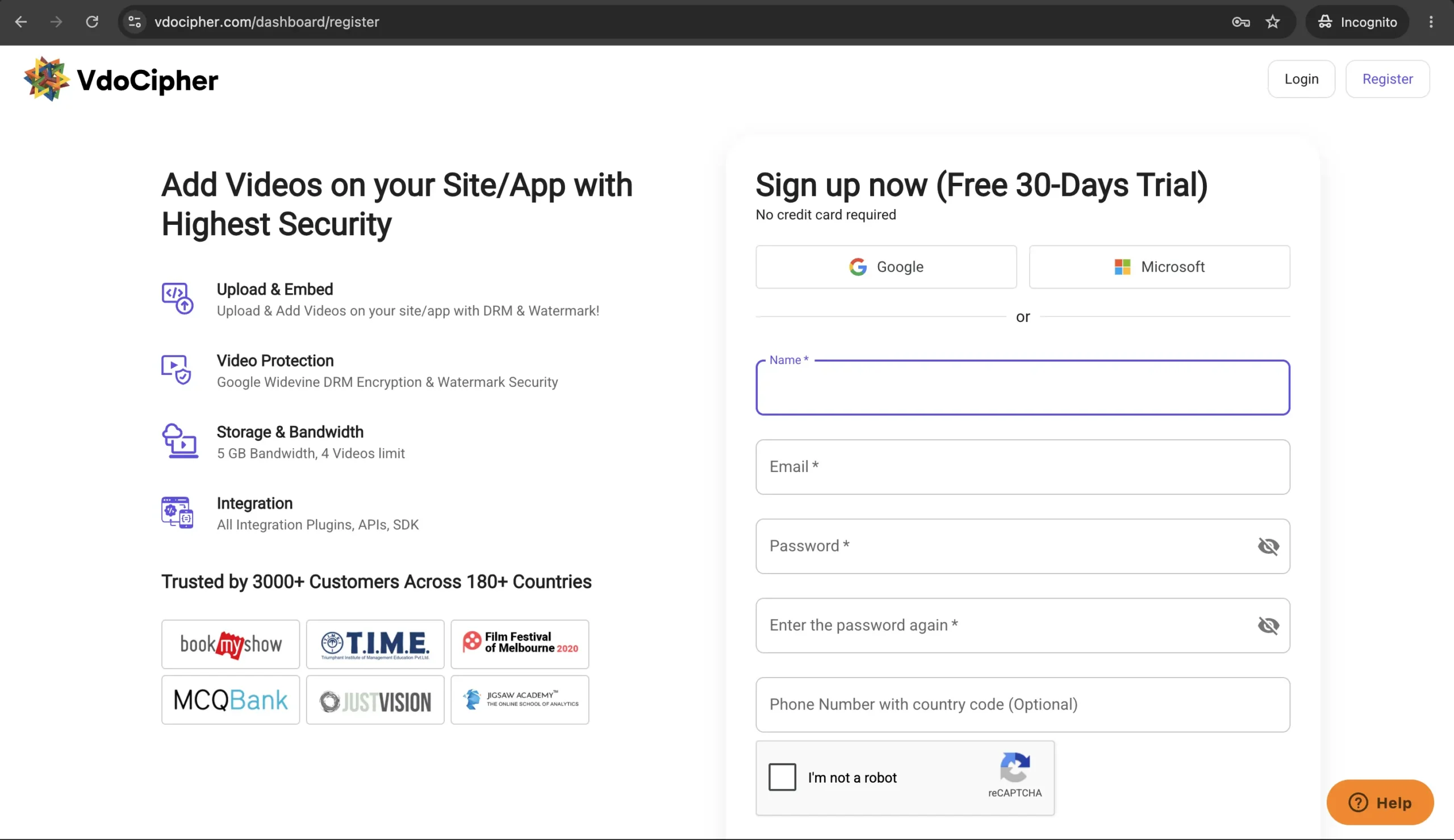
Set up a VdoCipher account
Visit vdocipher.com and sign up. No credit card is required – you get a free trial with full access to all the premium features like DRM Encryption, Custom Video Player, Dynamic watermarking, Advanced analytics, Piracy Tracker, etc.
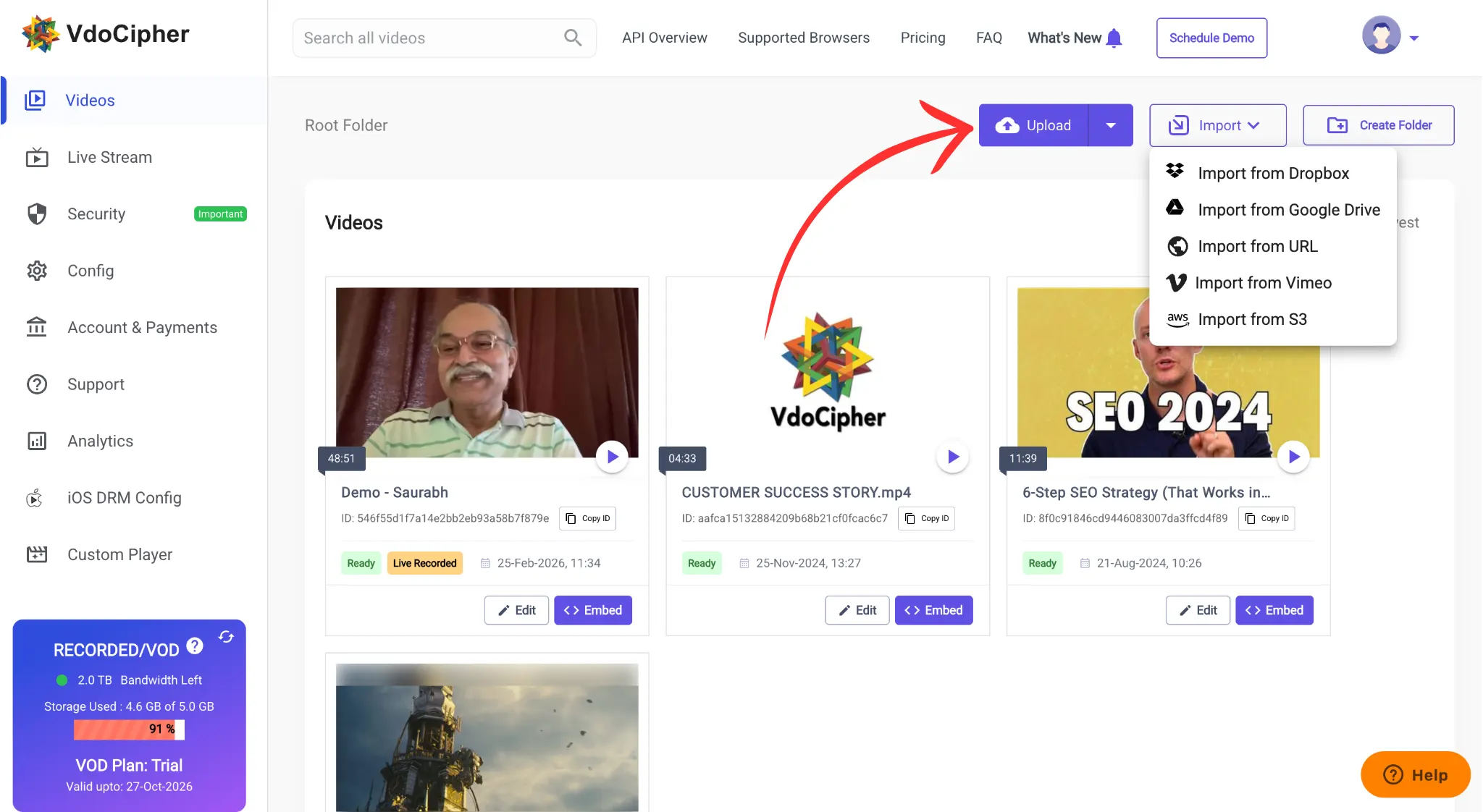
Upload your video
Once logged into the VdoCipher dashboard, upload the video you want to embed. You can upload directly from your device or import from Dropbox, Google Drive, or a URL. Wait for processing to complete – this usually takes a few minutes depending on file size.
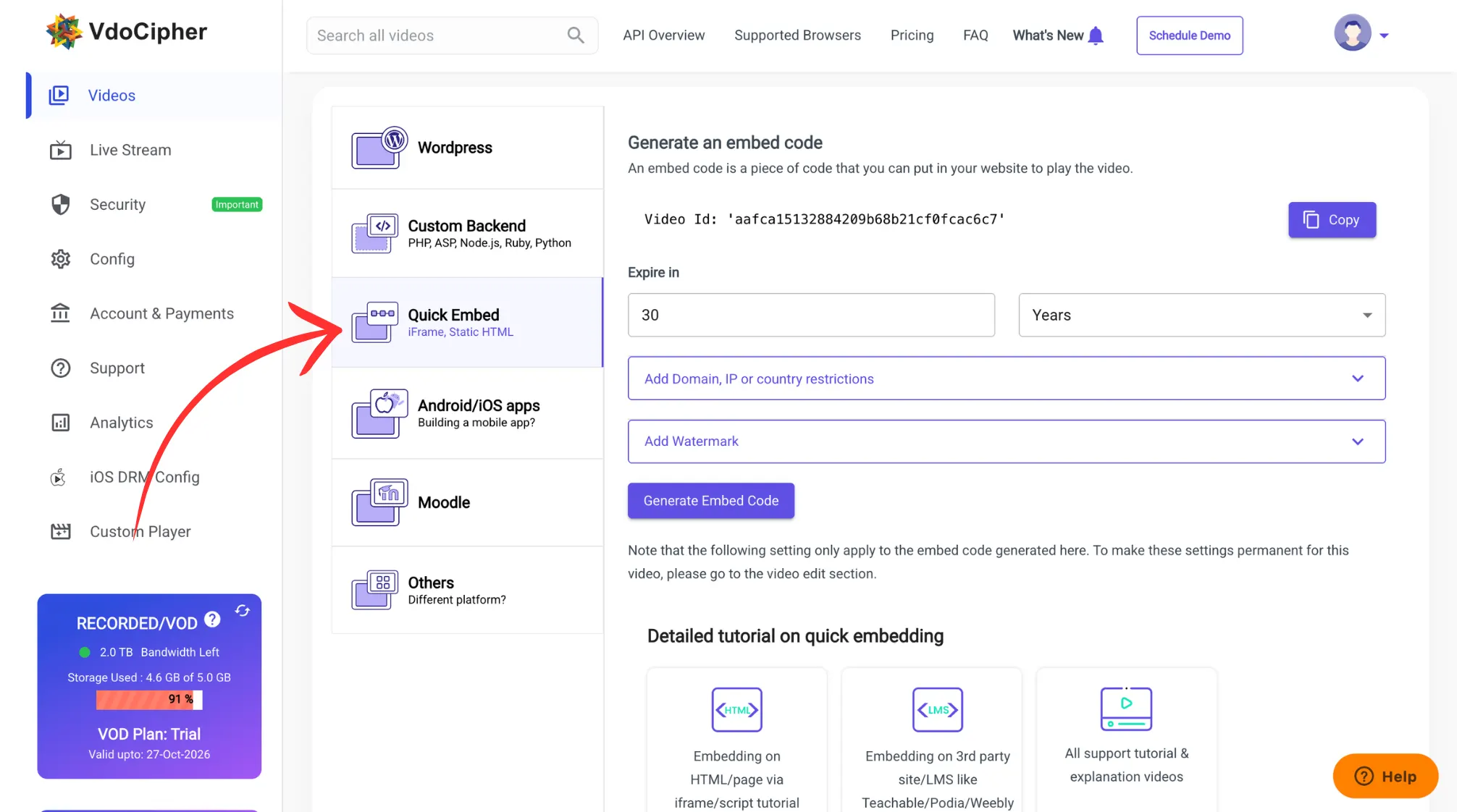
Generate the embed code
Find the video in your dashboard and click the “Embed” button. Go to the “Quick Embed” section. Configure your settings here – domain whitelist, watermark text, embed expiry duration. Then click “Generate embed code” and copy the iframe code.
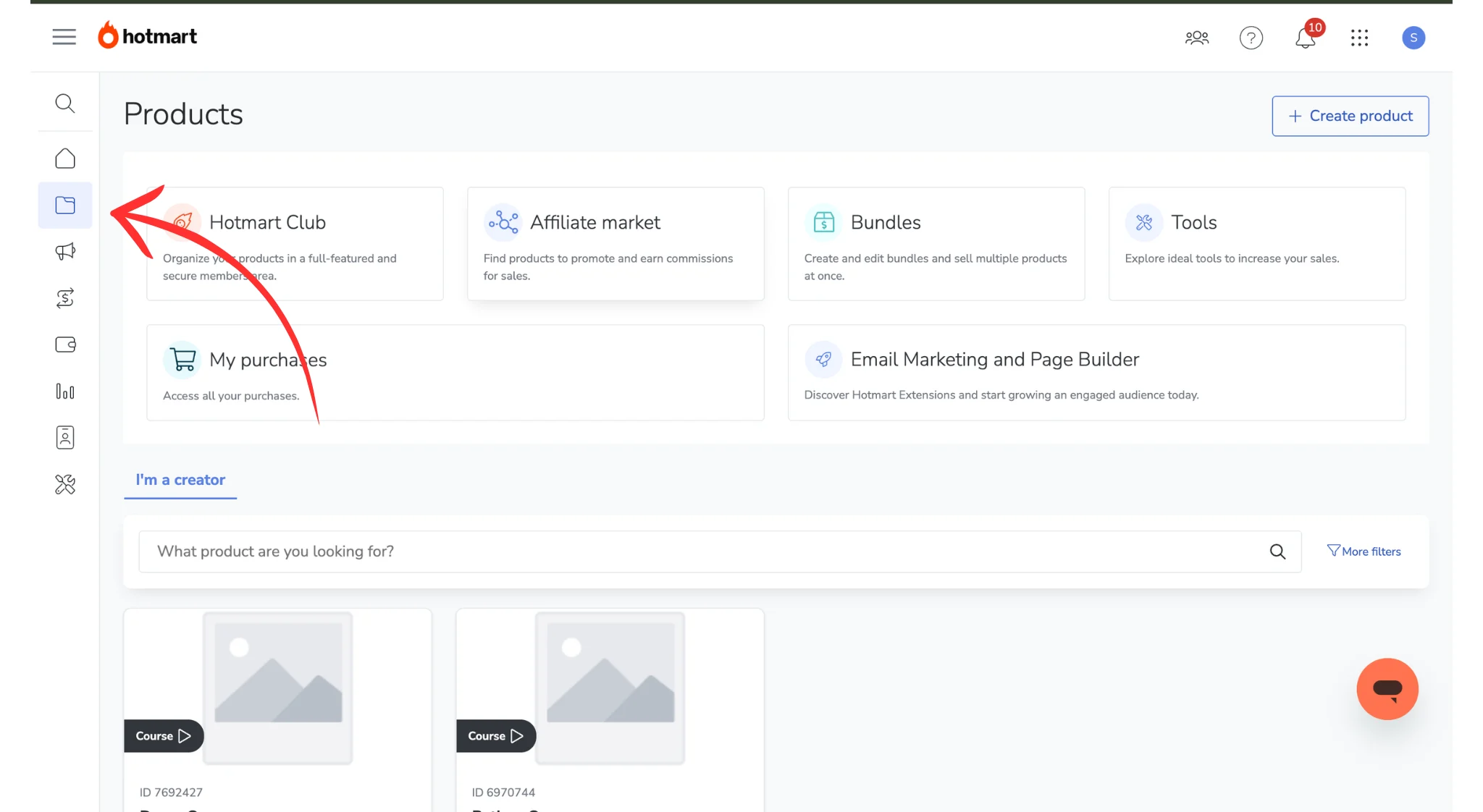
Open the Hotmart product
Go to the Hotmart admin panel at hotmart.com. In the left sidebar, click “Products”, then “My Product”, and select the specific product where you want the video.
Edit the course content
Navigate to the “Membership Area”, select the product again, then click “Edit” on the specific course or module where you want to add the video.
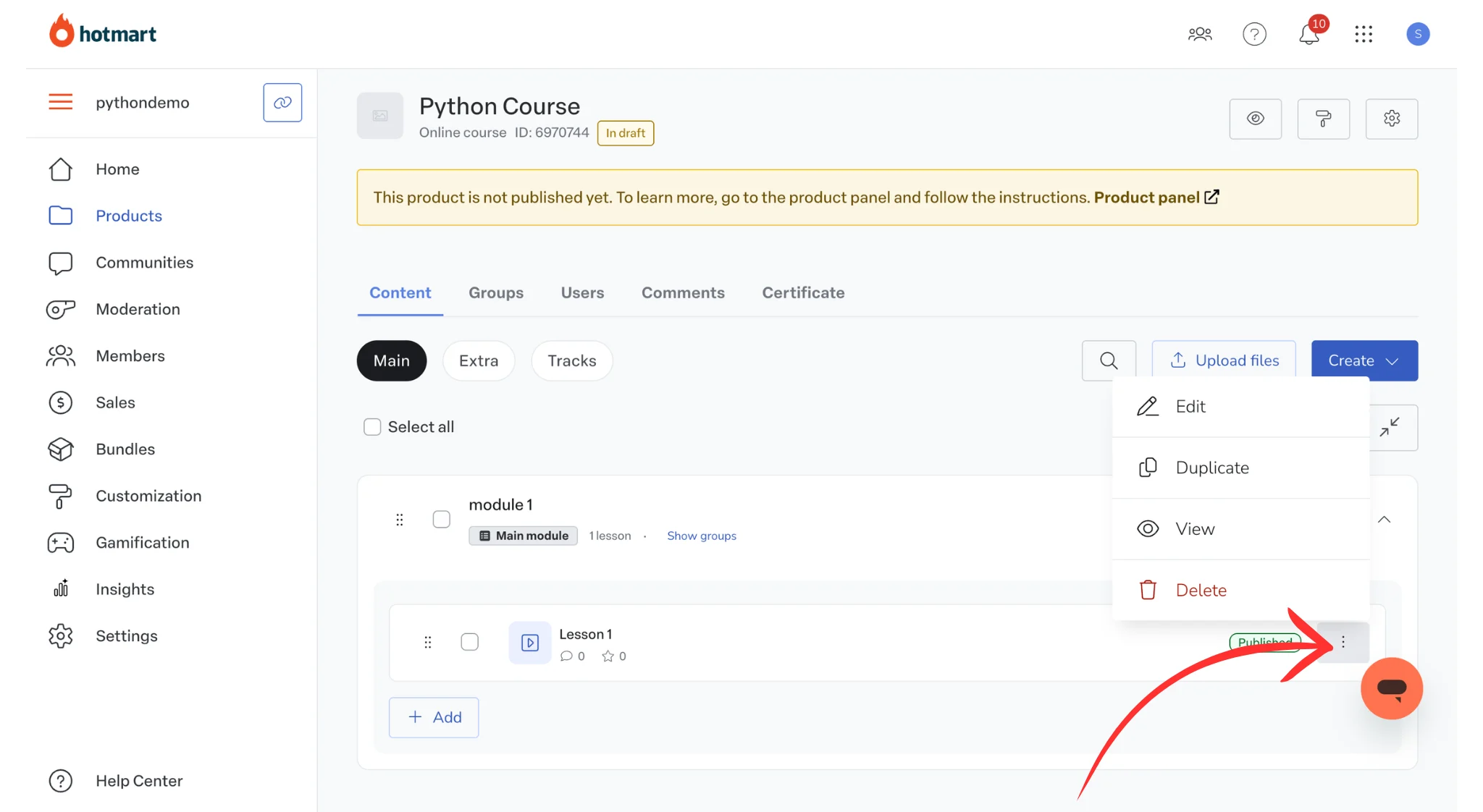
Paste the embed code
Add a new lesson or select an existing one. Give it a title. In the content editor, click the “HTML” button to switch to the source code view. Paste the VdoCipher iframe embed code you copied in Step 3.
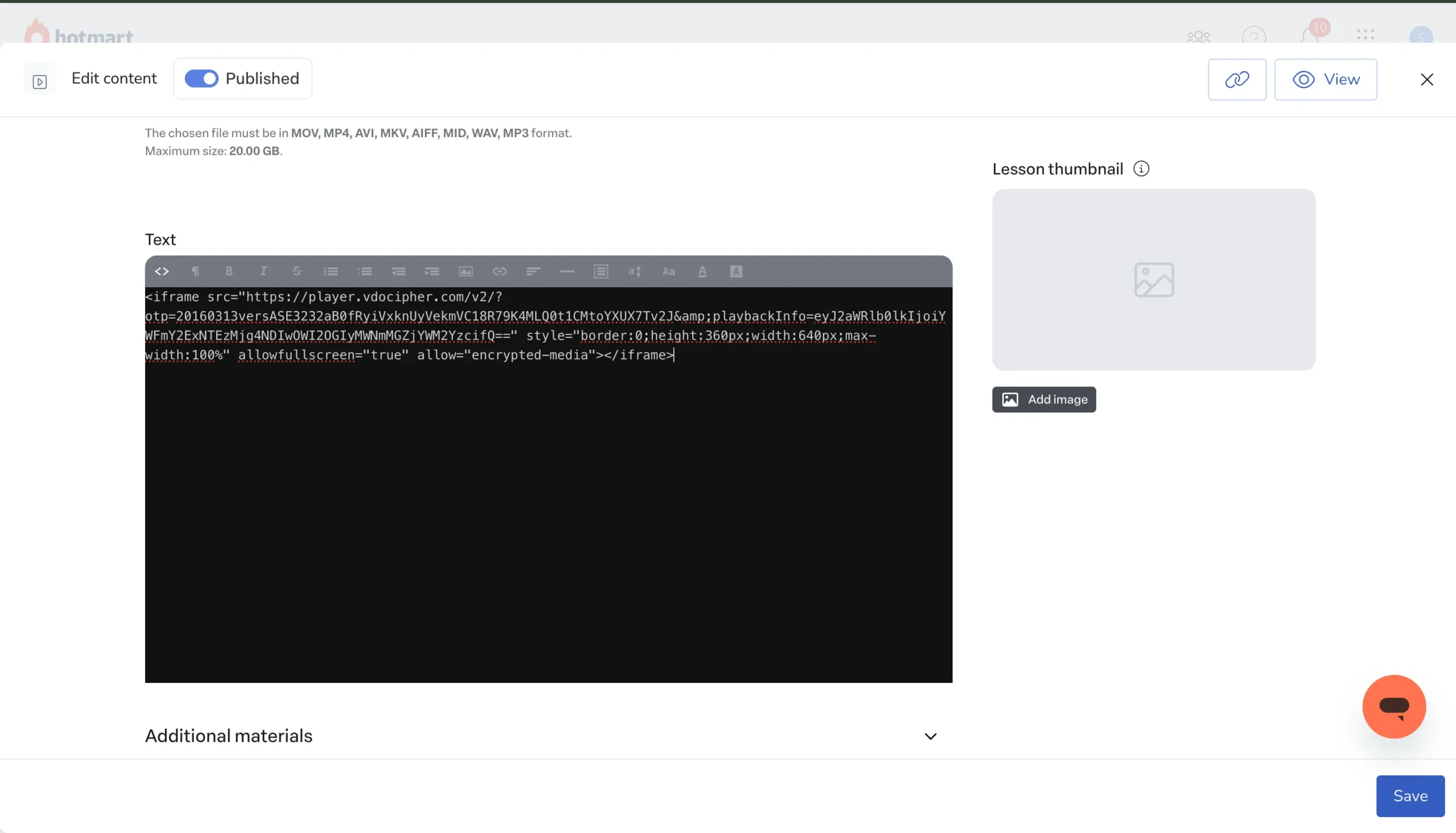
Publish and verify
Click “Publish” to save. Use the preview option to confirm the video plays correctly inside the lesson. Check that the dynamic watermark is visible and the video loads without issues.
That is it. Your Hotmart course now plays DRM-protected video through VdoCipher instead of Hotmart’s native player.
Start Free Trial ✅
VdoCipher provides Hollywood-grade DRM encryption, dynamic watermarking, and screen capture blocking – used by 10,000+ platforms globally.
Hotmart Player vs. VdoCipher: What You Actually Get
Here is a direct comparison of what each option delivers for Hotmart course creators:
| Feature | Hotmart Player | VdoCipher |
| DRM Encryption | Partial – not all videos get DRM | Widevine + FairPlay on every video |
| Pricing Model | Per-sale streaming fee | Plan based on storage + bandwidth |
| Videos Per Page | Up to 3 | No limit |
| Dynamic Watermarking | Not available | User ID, email, IP overlay |
| Screen Capture Block | Not available | Full block on mobile app, watermark deterrent on desktop |
| Player Customization | Limited | Fully customisable video player |
| Video Analytics | Basic completion tracking | Per-viewer watch data, engagement, Piracy tracker, Hacker Identification |
| Global CDN | Hotmart’s infrastructure | AWS CDN |
Why VdoCipher is best for Hotmart Video Hosting
If you are running a course business on Hotmart, the video is the product. A leaked course circulating on Telegram or a piracy forum directly kills future sales. VdoCipher exists specifically to solve this.
Google Widevine and Apple FairPlay DRM means no internet-based downloader can extract and play your videos. This is the same encryption standard used by Netflix and Disney+. It is not an add-on or optional setting – every video you upload to VdoCipher is encrypted by default.
Dynamic watermarking overlays each viewer’s identifying information (email, phone number, IP, or a custom user ID) as a moving element on the video frame. If someone screen-records and leaks the content, you can trace exactly who did it.
Piracy tracking and blocker goes a step further. VdoCipher actively detects DRM breach attempts, password sharing patterns, and suspicious playback sessions – and can block them automatically. Across 2,000+ websites and apps, VdoCipher blocked over 57,000 unauthorized sessions in a six-month period.
No per-sale fees. VdoCipher pricing is based on storage and bandwidth, not your revenue. Whether you sell 10 courses or 10,000, the video hosting cost stays predictable.
For Hotmart creators selling courses in competitive niches – concursos, medical residency prep, fitness certifications, accounting – where a single pirated course can undercut your entire pricing strategy, this level of protection is not optional. It is the difference between scaling revenue and watching it leak.
Try VdoCipher Free for 30 Days
Full DRM, watermarking, and embed tools included. No credit card needed.


Leading Growth at VdoCipher. I love building connections that help businesses grow and protect their revenue. Outside of work, I’m always exploring new technology and startups.
Leave a Reply