
Choosing between LearnDash vs LifterLMS for your WordPress site in 2025? This hands-on comparison breaks down exactly what each LMS offers- course builders, quiz features, membership systems, payment integrations, and real pricing breakdowns. See actual user reviews, setup walkthroughs, and side-by-side feature tables to determine which WordPress LMS plugin fits your budget and course-building needs. Updated for 2025 with current pricing and features.
Table of Contents:
- What is LearnDash
- What is LifterLMS
- LearnDash vs LifterLMS: Key Differences at a Glance
- LearnDash vs LifterLMS Pricing Comparison
- Feature Comparison: LearnDash vs LifterLMS
- Side-by-side Comparison Table
- Setup Guide: LearnDash
- Setup Guide: LifterLMS
- Which Should You Choose: LearnDash or LifterLMS?
- FAQs
What is LearnDash
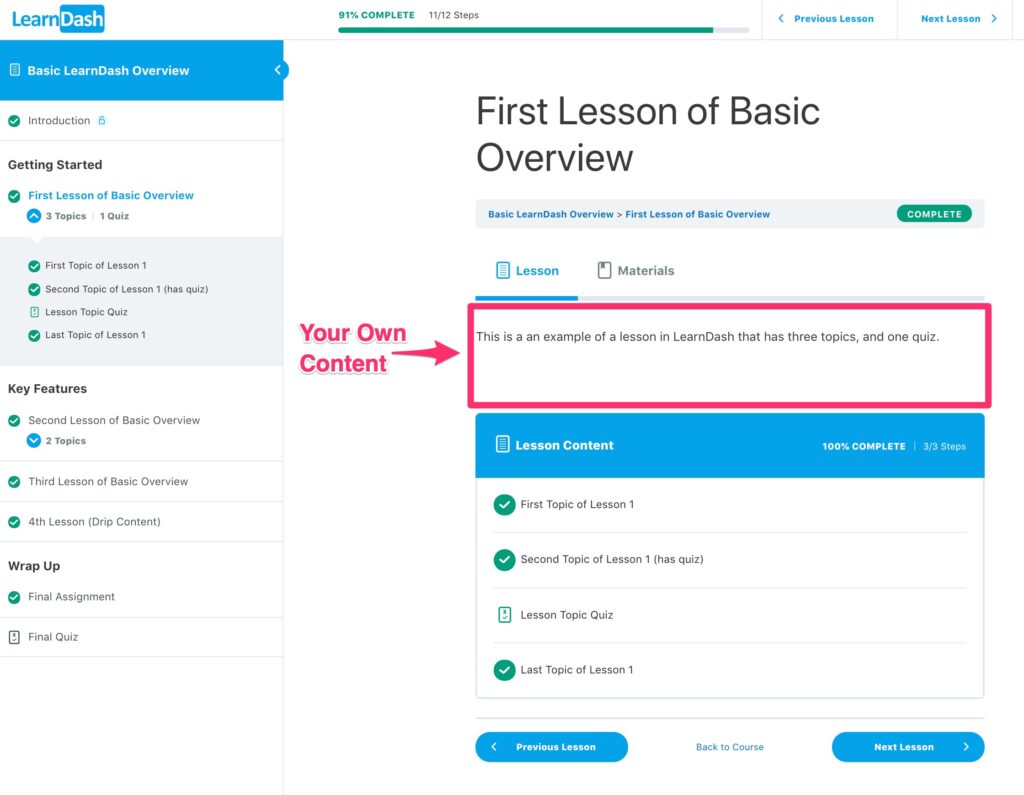
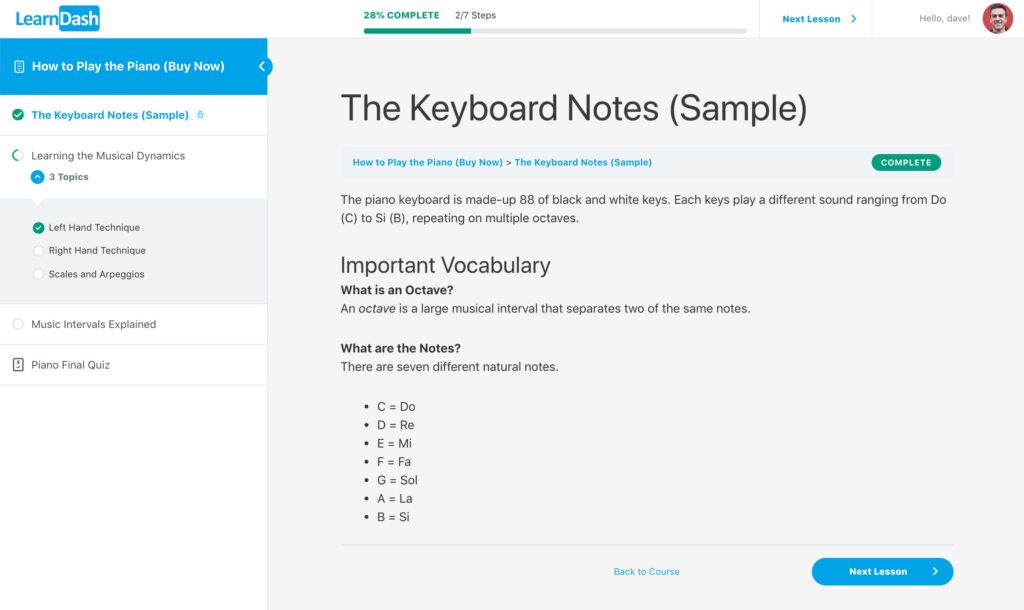
LearnDash is a premium WordPress LMS focused on structured course delivery. It ships with a drag-and-drop course builder, advanced quizzes, drip content, video progression, certificates, and a distraction-free “Focus Mode.” The ecosystem includes official and third-party add-ons for analytics, instructors, gradebooks, groups, and more.
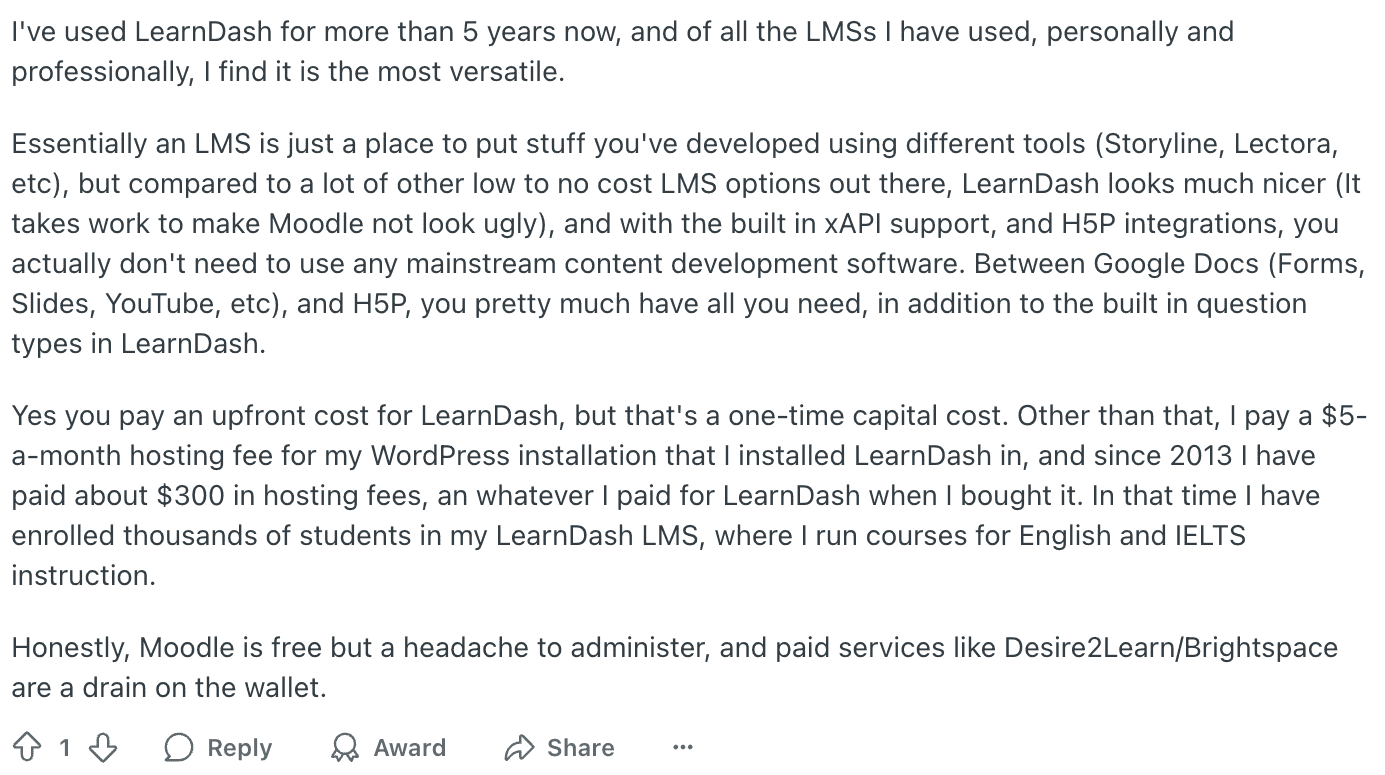
User Review From Reddit:
LearnDash at a glance:
What is LifterLMS
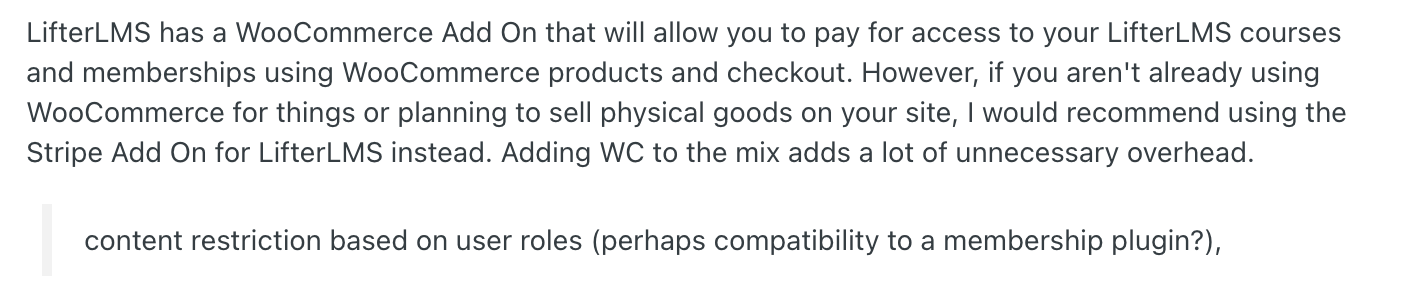
LifterLMS is a freemium WordPress LMS. The core plugin is free and includes unlimited courses, memberships, students, and teachers. Paid bundles add gateways, CRMs, advanced quizzes, assignments, groups, video features, and more. A key difference is that memberships and access plans are built in, so you can package courses and restrict other site content without extra membership plugins.
User Review From Reddit:
LifterLMS at a glance
LearnDash vs LifterLMS: Key Differences at a Glance
Before diving into the detailed feature-by-feature comparison, here’s what separates LearnDash from LifterLMS and which platform might be right for you.
Core Philosophy: All-in-One vs. Freemium Flexibility
LearnDash follows a premium all-inclusive model. When you purchase LearnDash at $199 per year, you get every core feature – advanced quizzes, drip content, Focus Mode, video progression, certificates, and assignments – in a single package. Think of it as buying a complete toolkit where memberships and payment processing are typically handled through separate plugins or integrations.
LifterLMS takes a freemium approach. The core plugin is completely free with unlimited courses, lessons, students, and basic quizzes. However, critical features like payment gateways (Stripe, PayPal), advanced quizzes, assignments, and CRM integrations come through paid bundles starting at $120 per year. The key advantage? Built-in membership functionality that lets you bundle courses and restrict content across your entire WordPress site without additional plugins.
The Decision-Making Framework
Choose LearnDash if you need:
- Advanced assessment capabilities with 8 quiz question types, question banks, and essay grading out of the box
- Structured, linear learning paths with strict prerequisites and video progression gating
- A mature ecosystem with 50+ official and third-party add-ons for analytics, gradebooks, and instructor management
- Predictable pricing where one payment unlocks everything without surprise costs
- Focus Mode for distraction-free learning experiences
- Better scalability for large educational institutions or corporate training programs
Choose LifterLMS if you need:
- Built-in membership management without installing additional plugins like MemberPress or Restrict Content Pro
- Flexible pricing models where you can start free and add features as you grow
- Granular access control that applies across courses, posts, pages, and custom content types
- Lower barrier to entry with a free core plugin perfect for testing or small-scale launches
- Engagement features like achievements, badges, certificates, and social learning (in bundles)
- Simpler setup for membership-based course sites where bundling content is essential
Feature Availability: What’s Included vs. What Costs Extra
| Feature | LearnDash | LifterLMS |
|---|---|---|
| Course Builder | Included | Included (free core) |
| Basic Quizzes | Included (8 types) | Included (7 types, free) |
| Advanced Quizzes | Included | Requires bundle |
| Assignments | Included | Requires bundle |
| Certificates | Included | Included (free core) |
| Payment Gateways | Included, Stripe/PayPal built in | Requires bundle |
| Memberships | Separate plugin needed | Included (free core) |
| Video Progression | Included | Manual setup |
| Focus Mode | Included | Not available |
| Groups / Cohorts | Add on | Requires bundle |
Now let’s examine each platform in detail, starting with a deeper look at LearnDash’s features and ecosystem.
LearnDash vs LifterLMS Pricing Comparison
Pricing is often the deciding factor when choosing between LearnDash and LifterLMS. Here’s exactly what you’ll pay for each platform in 2025.
LearnDash Pricing Breakdown
LearnDash follows a simple annual license model with all core features included:
- 1 Site License: $199/year
- 10 Site License: $399/year
- Unlimited Sites: $799/year
Optional add-ons:
- ProPanel Analytics: $99/year (detailed reporting and instructor dashboards)
- Groups: Included in core (basic), advanced features via add-ons
- Membership plugin: $99-299/year (MemberPress, Restrict Content Pro, etc.)
LifterLMS Pricing Breakdown
LifterLMS uses a freemium model with paid feature bundles:
Free Core Plugin:
- Unlimited courses, lessons, and students
- Basic quizzes (7 question types)
- Certificates
- Built-in membership functionality
- Course builder
- Basic reporting
Paid Bundles (First-year pricing):
Infinity Bundle – $99/year (renews at $299/year)
- Stripe payment gateway
- PayPal gateway
- WooCommerce integration
- Assignments
- Advanced quizzes
- Private coaching/1-on-1 sessions
Universe Bundle – $299/year (renews at $749/year)
- Everything in Infinity Bundle
- Advanced video (Vimeo OTT integration)
- Advanced assignments with rubrics
- Groups and cohorts
- Mailchimp integration
- ConvertKit integration
- Social learning features
- Priority support
Individual Add-ons: $99-199 each if purchased separately
Critical note: LifterLMS bundles are discounted 50% in the first year. Renewal prices double starting year two. The $99 Infinity Bundle becomes $299/year, and the $299 Universe Bundle jumps to $749/year.
The Bottom Line on Pricing
LearnDash is better when you need serious features from day one, since the $199 yearly license already includes robust quizzes, assignments, and payment handling for a flat, predictable price.
It gives great value if you manage many sites, because the 10 site plan comes out cheap per site and pricing stays stable each year.
LifterLMS makes more sense if you want to start free, build your whole course, and only pay later when you are ready to monetize.
It is especially good for membership style businesses, because memberships are built into the free core, so you can run basic courses and communities without extra plugins.
Feature Comparison: LearnDash vs LifterLMS
1) Course Building Capabilities
LearnDash: visual course builder, lessons and topics, advanced quiz builder, drip schedule, Focus Mode, video progression that can require viewing before moving on.
LifterLMS: visual builder with native memberships and access rules that apply site-wide. Engagement features such as achievements, certificates, assignments, and advanced quizzes come via bundles.
2) Quiz and Assessment Features
LearnDash is stronger if assessments are a big part of your LearnDash vs LifterLMS comparison. It ships with an advanced quiz builder, question bank, multiple question types, timed quizzes, passing score rules, retakes, and certificates. On top of quizzes, you get assignments where students upload files or long form work that you manually grade, so it works well for serious assessment driven programs.
LifterLMS includes quizzes, question types, prerequisites, certificates, and reporting around quiz performance, so you can track progress and course effectiveness. It is good enough for most course creators, but it does not try to be as deep as LearnDash in pure quizzing and assignment workflows.
3) Membership Management
This is the big philosophical difference in the LearnDash vs LifterLMS comparison.
LearnDash is course first. You can group learners, sell course bundles, and connect to external membership plugins or WooCommerce to mimic membership style access, but “memberships” are not the core concept. Most serious membership setups pair LearnDash with a dedicated membership plugin or e commerce stack.
LifterLMS is membership native. Memberships live in the core plugin, so you can bundle multiple courses into one membership, gate content across your site, and tie everything to flexible access plans and enrollment rules. Student management tools let you see who is in which membership and manage access directly.
4) Payment Gateway Integration
For LearnDash vs LifterLMS pricing and checkout, both can take payments without external cart plugins, but they handle it differently.
LearnDash includes native Stripe and PayPal support, with global payment settings inside the LMS, and can also push everything into WooCommerce if you want a full store and advanced checkout flows. This covers most course businesses without needing extra payment extensions.
LifterLMS has its own built in ecommerce layer with integrations for Stripe, PayPal, and Authorize.Net, plus an optional WooCommerce integration if you want to sell courses and memberships as Woo products. Access plans let you set one time payments, subscriptions, and bundles from inside LifterLMS itself.
5) Analytics and Reporting
LearnDash provides built in reports for course progress, enrollments, and quiz results, and many sites extend this with the ProPanel add on or external reporting tools. You can see who is enrolled, their completion status, quiz performance, and use this to trigger notifications and learning paths.
LifterLMS leans on its reporting suite that tracks student progress, quiz performance, completion, and other learning metrics from inside the LMS. Reporting is treated as a core feature group, so you get a central place to understand how courses, quizzes, and memberships are performing.
Side-by-side Comparison Table
| Area | LearnDash | LifterLMS |
|---|---|---|
| Course builder | Drag-and-drop with lessons, topics | Visual builder |
| Quizzes | Advanced quizzes with banks and timers | Quizzes in core, “Advanced Quizzes” via bundle |
| Focused learning | Focus Mode, video progression gating | Engagement via achievements, certificates, assignments (bundle) |
| Memberships | Typically added via separate plugin | Built-in memberships and access plans |
| Payments | Stripe, PayPal, WooCommerce | Stripe, PayPal, WooCommerce in bundles |
| Reporting | ProPanel add-on | Reporting in core and higher bundles |
| Pricing model | Annual license; hosted option available | Free core; feature bundles; renewals at full price |
Setup Guide: LearnDash
Required Details
- WordPress site with admin access
- LearnDash license or LearnDash hosted plan
Steps
- Install and activate LearnDash.
- Run the onboarding to create core pages and review the LearnDash structure: Courses, Lessons, Topics, Quizzes, Assignments, Certificates.
- Create your first Course: LearnDash LMS → Courses → Add New. Add course details and image.
- Open the Course Builder to add Sections, Lessons, and Topics. Drag to reorder.
- Add a Quiz: LearnDash LMS → Quizzes → Add New → Builder. Choose question types, passmark, and timers.
- Enable Focus Mode: LearnDash LMS → Settings → Focus Mode. Adjust width, sidebar, and logo.
- Set up VdoCipher
- Install and activate the VdoCipher WordPress plugin, then add your API credentials.
- In your VdoCipher dashboard, upload a video.
- Enable domain restriction for your site and, if desired, dynamic watermark.
- Copy the WordPress shortcode or the iframe embed for that video
- Configure payments: use built-in Stripe/PayPal or WooCommerce for a fuller store.
- Place course elements on pages using LearnDash blocks or shortcodes.
- Test as a learner: enroll a test user and confirm secure playback, watermark visibility, video gating, navigation, quiz scoring, and certificate completion.
Explore More ✅
Find out how over 3000+ customers in over 120+ countries use Vdocipher’s video hosting to ensure seamless and secure video streaming!
Setup Guide: LifterLMS
Required Details
WordPress site with admin access
Install free LifterLMS core; add bundles for gateways, CRMs, assignments, advanced quizzes
Steps
- Install and activate LifterLMS from the WP repo. Run the Setup Wizard to auto-create core pages (Course Catalog, Membership Catalog, Purchase, Student Dashboard).
- Create a Course: Courses → Add Course → add basics and use the builder for Sections and Lessons.
- Set up VdoCipher
- Install and activate the VdoCipher WordPress plugin.
- Add your API credentials in the plugin settings.
- In your VdoCipher dashboard, upload the video.
- Enable Domain Restriction for your site and, if needed, Dynamic Watermark.
- Copy the shortcode or iframe for that video.
- Embed Video in a Lesson
- Open the Lesson editor inside your course.
- Paste the VdoCipher shortcode in the content area (or use a Shortcode block).
- If you prefer HTML, paste the iframe in the Text/HTML tab.
- Update the lesson.
- Add Quizzes inside lessons. For deeper logic, enable the Advanced Quizzes add-on via a bundle.
- Create a Membership if you plan to bundle courses or gate other content: Memberships → Add New.
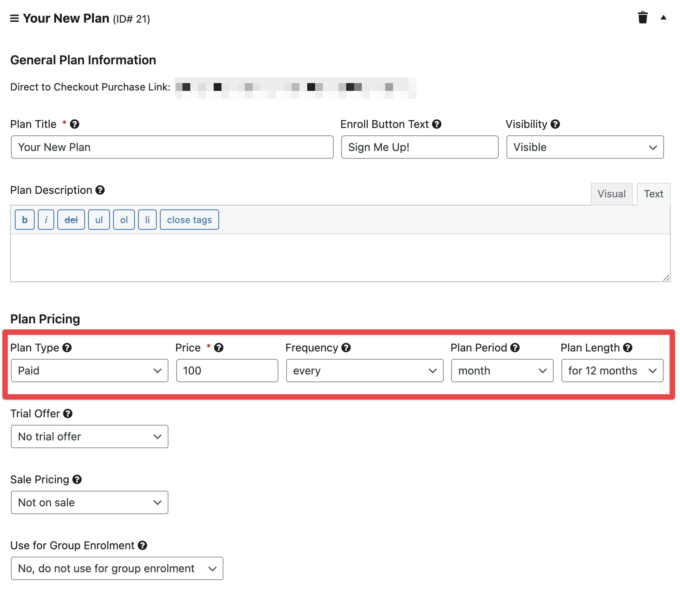
- Configure Access Plans on a Course or Membership: choose Free, Paid, or Recurring; set price, frequency, and any trial or sale windows.
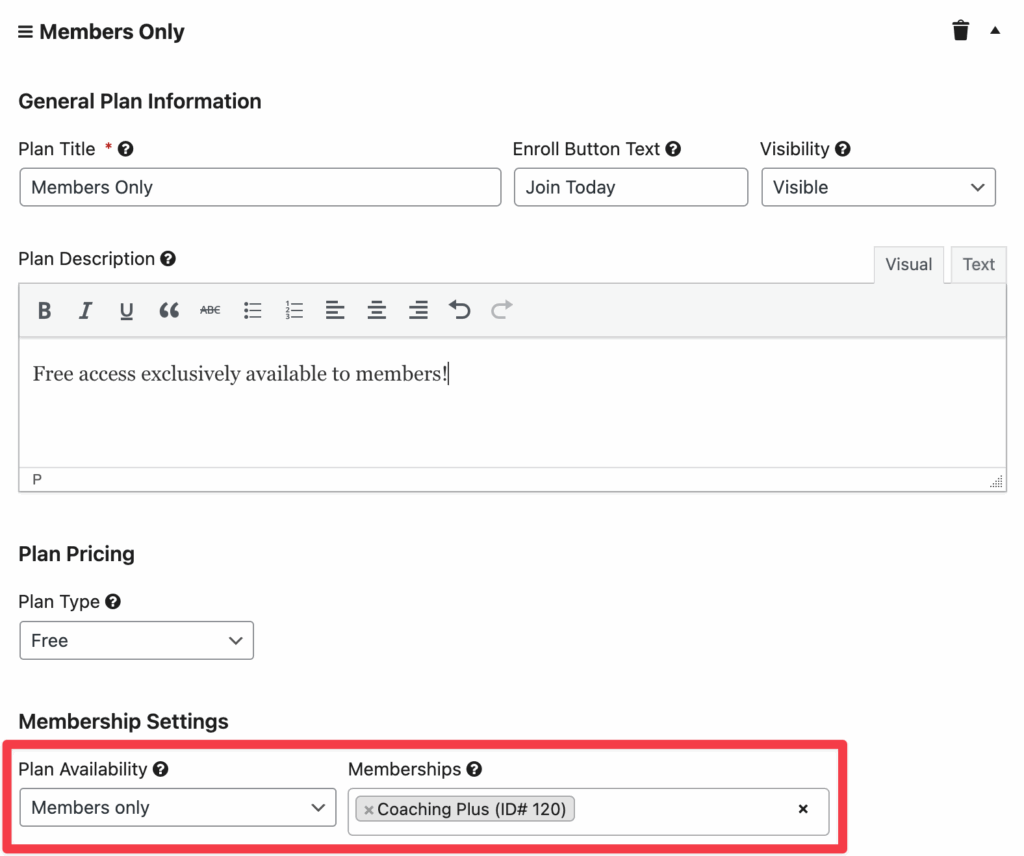
- For member-only pricing, set plan availability to Members only and select the membership.
- Add payment gateways (Stripe, PayPal, or WooCommerce) per your bundleUse membership rules to protect pages or posts beyond courses.
- Review reporting and refine plans or bundles.
Ready to Try It Out? ✅
👉 Secure Your Course Video in LearnDash & LifterLMS with VdoCipher
Find out how over 3000+ customers in over 120+ countries use Vdocipher’s secure video hosting to ensure protection from piracy
Which Should You Choose: LearnDash or LifterLMS?
Choose LearnDash if you want a structured LMS with deep assessment features and you are comfortable assembling the rest of your stack with add-ons or the hosted plan.
Choose LifterLMS if you prefer an all-in-one feel on WordPress with built-in memberships and bundled upgrades for payments, CRMs, and advanced learning features and want to start with free plan.
FAQs
Which is cheaper LearnDash vs LifterLMS
Different pricing models. LearnDash uses an annual license per site tier. LifterLMS core is free and bundles are discounted in year one, then renew at full price. Your total cost depends on your add-ons and site count.
Do both support payments without WooCommerce?
Yes. Both support Stripe and PayPal in their ecosystems. WooCommerce remains available if you want a full store.
Can I run memberships without another plugin?
LifterLMS: yes, memberships are included. LearnDash: typically done with a separate membership plugin or service.
Is there a free plan for LearnDash or LifterLMS?
LearnDash does not offer a free plan – it is available only as a paid plugin starting at $199 per year, or as a hosted plan beginning at $29 per month billed annually. LifterLMS, on the other hand, provides a free core plugin that lets you create unlimited courses and memberships, but key features such as payment gateways and advanced add-ons require a paid bundle. The bundles start with a first-year discount from $149.50 annually and renew at full price after that.
Supercharge Your Business with Videos
At VdoCipher we maintain the strongest content protection for videos. We also deliver the best viewer experience with brand friendly customisations. We'd love to hear from you, and help boost your video streaming business.


Leading Growth at VdoCipher. I love building connections that help businesses grow and protect their revenue. Outside of work, I’m always exploring new technology and startups.
Leave a Reply